Responding to incomplete vendor details
1. Login to the registration portal
Login to the regiration portal using the same username (email) and password given during registration. Modify any of the incomplete informtion
2. FIll nay of the following incopmplete information
Check if any comments given by the Buyer for incomplete form. Fill all such missing information
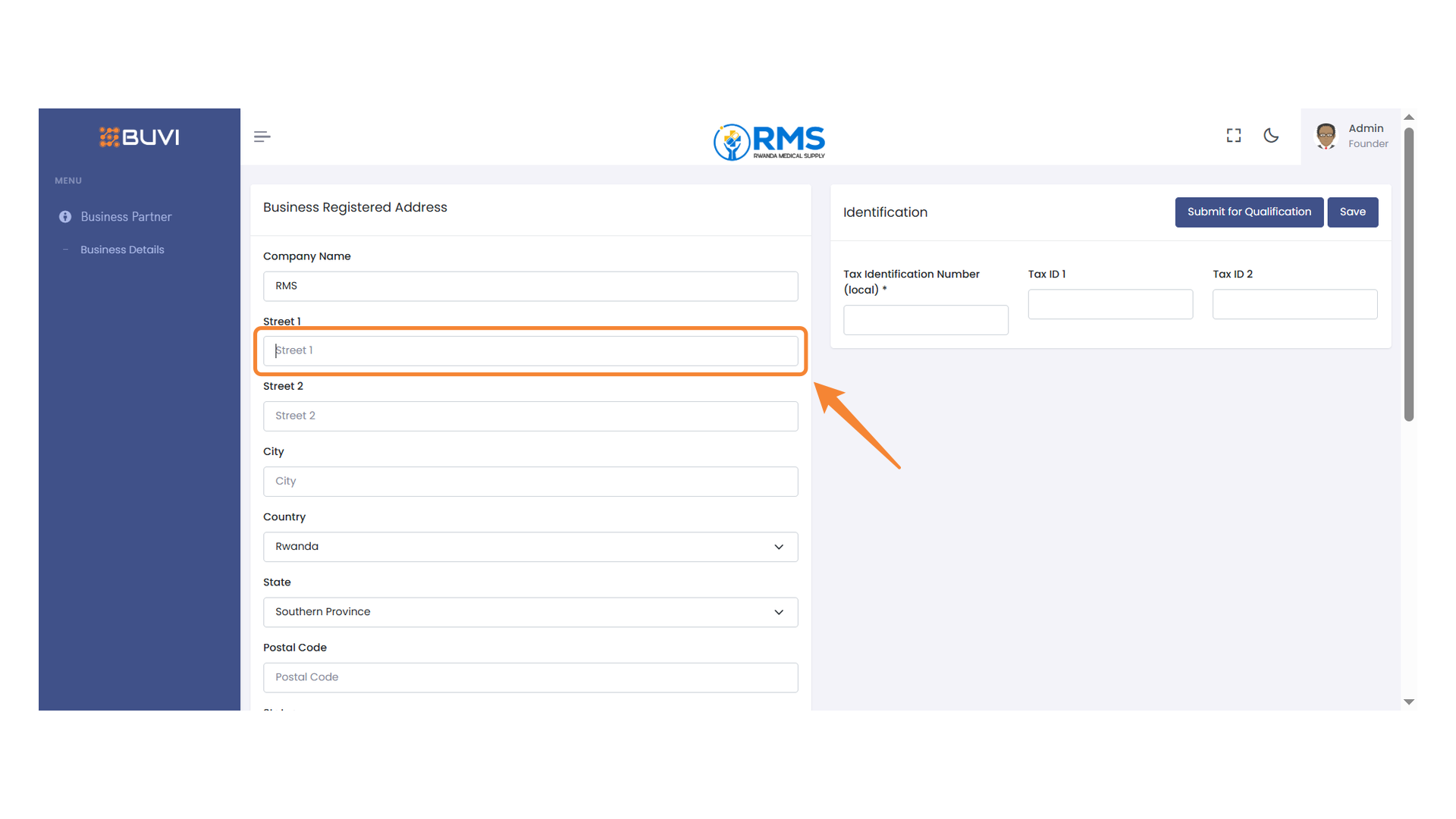
3. Street Address Field
Example if you had missed this field please this information, Similarly check other fields also.
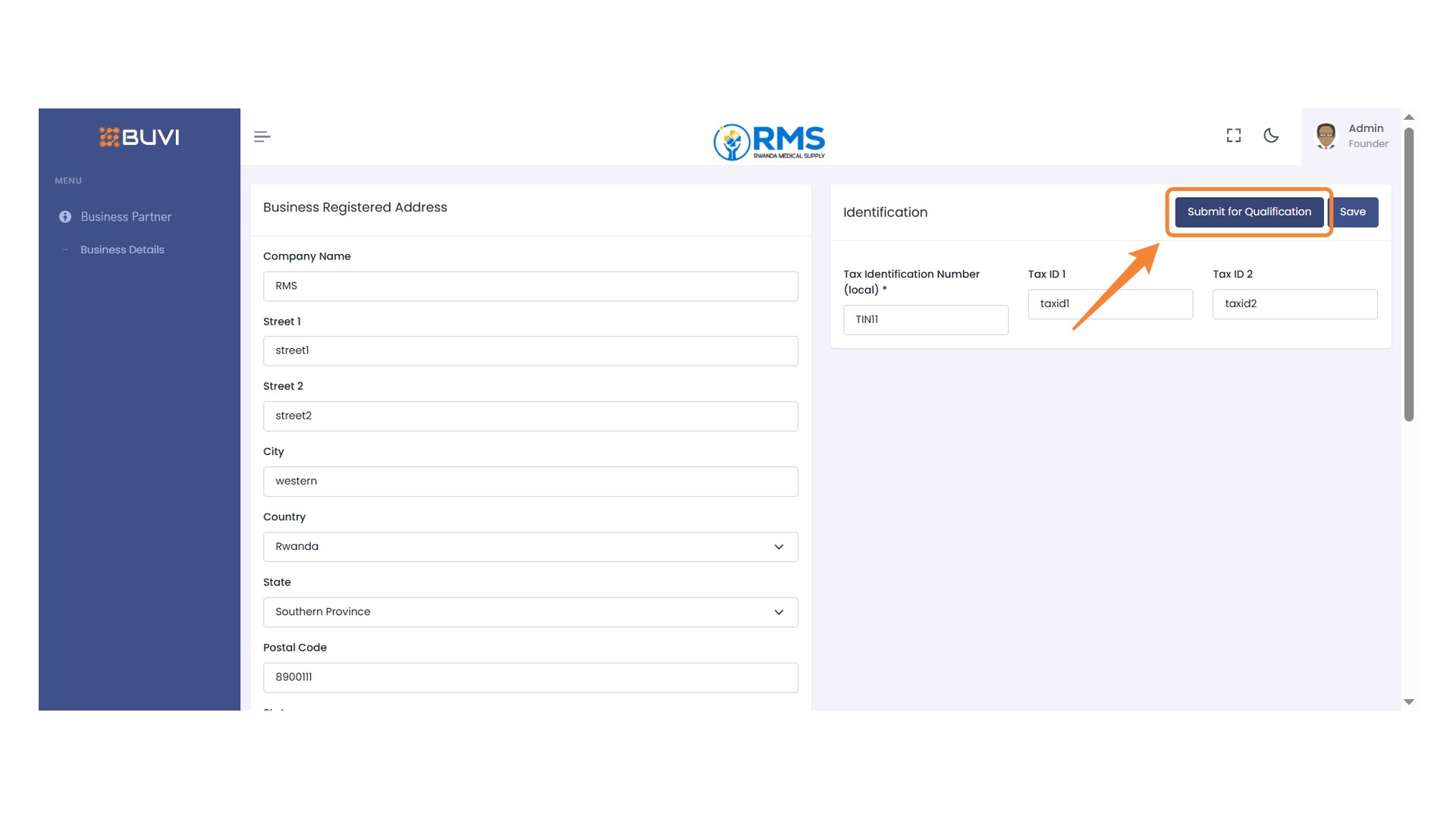
4. Submit for Qualification Button
Once you are sure you have netered all the required information. Click 'Submit' button to send your information for qualification review.
5. Wait to be qualified
Wait until you will receive email confirming you qulification or rejection email. If qualified you can follow the instruction in the email for the next steps.